
Mix-Max

Saturday, 2 March 2019

Detail explanation of internet of things(IOT).

March 02, 2019 0
Detail explanation of internet of things(IOT).

Image result for iot
 What is IoT?

This is an extensively growing technology wherein the day-to-day objects present in the world are connected to the Internet with the help of sensors. The transfer of data or information takes place without human or human-to-computer interaction.

IoT Architecture Overview

IoT can be classified into a four or five-layered architecture which gives you a complete overview of how it works in real life. The various components of the architecture include the following:
  • Four-layered architecture: this includes media/device layer, network layer, service and application support layer, and application layer.
  • Five-layered architecture: this includes perception layer, network layer, middleware layer, application layer, and business layer.

Functions of Each Layer

  • Sensor/Perception layer: This layer comprises of wireless devices, sensors, and radio frequency identification (RFID) tags that are used for collecting and transmitting raw data such as the temperature, moisture, etc. which is passed on to the next layer.
  • Network layer: This layer is largely responsible for routing data to the next layer in the hierarchy with the help of network protocols. It uses wired and wireless technologies for data transmission.
  • Middleware layer: This layer comprises of databases that store the information passed on by the lower layers where it performs information processing and uses the results to make further decisions.
  • Service and application support layer: This layer involves business process modeling and execution as well as IoT service monitoring and resolution.
  • Application layer: It consists of application user interface and deals with various applications such as home automation, electronic health monitoring, etc.
  • Business layer: this layer determines the future or further actions required based on the data provided by the lower layers
This explains the back-end design implementations of a typical IoT structure.

Design Perspectives of IoT

Design of an IoT model consists of both front-end and back-end design concepts that are required for user interaction as well as the customer use. The front-end designs deal with interactive user-interfaces that are used for setting up the devices under IoT in order for them to function by connecting to the Internet. The back-end design includes the servers, databases for storage of data and the programming language that is used for designing.

Front-end Design Implementation

Front-end is nothing but the home screen that a user interacts with while using IoT. It is majorly built using various computer design languages such as HTML, CSS, JavaScript, etc., in order to create a screen which displays the various menus and buttons, using which the user can operate or interact with the devices using IoT.

Back-end Design Implementation

Back-end design includes the servers and databases in which the data are stored as discussed in the descriptions of sensor, network and middleware layers. All the sensors and actuators collect data through their sensory modules and send the information to the databases and servers built at the back-end. We need technology that acts as the medium for interaction between the user interface and the back-end storages.

Connecting the Front-end and Back-end

The mobile apps and hardware such as Arduino and Raspberry Pi are the technologies used for aiding the user interaction with the backend servers where the data is largely stored. Arduino is a micro-controller, while Raspberry Pi is a full-fledged computer that works on Linux platform.

IoT Platform

The IoT Platform consists of multiple layers which provide managementand optimization of all the devices present within it. With the help of connecting options, secure mechanisms, and information conversion techniques, this particular platform connects hardware to the cloud, which becomes a platform for application developers who use elements that speed up the development process. The main goal of the IoT is to establish a smart-connected life. This fails if all the components including hardware and software do not function together efficiently. In order to achieve stability in IoT systems, IoT platforms must be able to manage and optimize the use of energy, power, data, hardware, as well as many other components.

Structure

The structure of an IoT platform consists of these architectural forms:
  • connectivity which ensures proper connection within devices
  • device management which ensures that all the devices that are connected to the platform are working properly
  • database that stores data about all the devices that are connected
  • processing that does the necessary data conversion
  • analytics
  • visualization which provides easy and understandable human observation with the help of lines, charts, 2D and 3D models
  • additional tools
  • external interfaces

Comparison with Middleware

An IoT platform is significantly different from an IoT middleware even though the platform originated from the middleware concept. IoT middleware was considered as a 'working mediator' between the hardware devices and the application layer. From it, an IoT platform developed with advanced features and working modes, which does not just work as a mediator but provide security, look upon the correct programming, and manage it.

Forms of the IoT platform

There are three main IoT platform forms:

Application Enablement Platform (AEP)

This platform offers the actual end-user application creation. It consists of templates, frames, and forms that are readily available for using and creating. Data is transformed into actual information as quickly as possible on this platform.

Provisioning Platform

This particular platform makes the connecting methods (different plans) for cellular data much easier to approach. This helps in both the device and network management. This makes the whole process of activating, de-activating, and renewal of plans much easier and also provides for easy subscription and communication.

Connectivity platform

This platform works on all the connectivity issues of the IoT devices that might happen and solves them by providing proper connections and networks. For example, we can change sim cards between the devices that are connected to the IoT platform.

Lesson Summary

This lesson defines the concept of Internet of Things (IoT), which can be seen as the future of computer science. IoT deals with creating and designing models that can ease our day-to-day activities by automating them. Home automation, health monitoring, smart wearables, smart farming, etc., are some of the areas that have benefited by IoT. We also learn about the architectural design of IoT and later understand the design concepts involved in creating the front-end user interface and back-end servers and databases with the help of appropriate hardware and software that interconnects them. In total, we get a glimpse how an IoT model functions.

In order to make an IoT system work, many devices need to collaborate with each other. Each device that participates in the IoT needs to be managed. An IoT platform ensures proper management of these devices. The platform consists of eight sections. These include connectivity, device and database management, visualization (2D and 3D models), business analytics, and processing data.
The IoT platform originated from the IoT middleware concept but it evolved to handle more advanced features like security, making working models, and optimization. There are three forms of IoT: Application Enablement Platform which offers end-user creation, Provisioning Platform which works on different plans for cellular data, and Connectivity platform which works on solving connectivity issues.

Models Of Database Management System(DBMS)

March 02, 2019 0
Models Of Database Management System(DBMS)

Image result for database management system
 DBMS Models

There are a number of different types of database management systems, also referred to as DBMS models. Each one represents a somewhat different approach to organizing data in a systematic manner. They include:
Flat file
Hierarchical DBMS
Network DBMS
Relational DBMS
Object-oriented DBMS
Of these five models, the relational DBMS is by far the most widely used, but a quick overview of each model is useful.

Flat File

The most basic way to organize data is as a flat file. You can think of this as a single table with a large number of records and fields. Everything you need is stored in this table, or flat file.
Think of a database of customers. Everything you want to know about the customers is stored in this one table. You start off with a single record for every customer. A customer places an order and you enter this in one of the fields. You continue entering customer orders in this way.
What if the same customer places a second order? Do you enter this as a new record in the table, or do you add a field to the existing record for this customer?
There is no single best answer for this. The key point here is that a flat file is quite limited since it provides very little in terms of structure. In fact, it is so simple that you could argue it is not a DBMS at all. However, it is good to start off with the idea of a flat file, and then you will see how alternative models are more flexible and effective.

Hierarchical DBMS

In a hierarchical DBMS one data item is subordinate to another one. This is called a parent-child relationship. The hierarchical data model organizes data in a tree-like structure.
One of the rules of a hierarchical database is that a parent can have multiple children, but a child can only have one parent. For example, think of an online store that sells many different products. The entire product catalog would be the parent, and the various types of products, such as books, electronics, etc., would be the children. Each type of product can have its own children categories. For example, books could be broken up into fiction and non-fiction. Each of these categories can be broken up into subcategories. You can continue like this by listing individual authors and then the individual book titles.
This is a rather simple way to represent data, but it is very efficient. This model works best for data that is inherently hierarchical in nature. Many datasets cannot easily be organized in this manner and require a more complex approach. For example, in the case of the product catalog, what if a book falls into more than one category? Or, what if one author has written several books but also published an audio CD of one of her books? This is where the hierarchical model breaks down.

Network DBMS

In a network DBMS, every data item can be related to many other ones. The database structure is like a graph. This is similar to the hierarchical model and also provides a tree-like structure. However, a child is allowed to have more than one parent. In the example of the product catalog, a book could fall into more than one category. The structure of a network database becomes more like a cobweb of connected elements.
For example, consider an organization with an employee database. For each employee, there are different pieces of data, such as their name, address, telephone number, social security number and job function. Different units in the organization need different levels of access. For example, the human resources department needs to have access to the social security information for each employee so they can take care of tax deductions and set up benefits. This is somewhat sensitive information, so other departments do not need access to this part of the database. All the pieces of data are connected in a network that implements these rules.
While conceptually relatively simple, this database structure can quickly become very complicated.

Relational DBMS

In a relational DBMS, all data are organized in the form of tables. This DBMS model emerged in the 1970s and has become by far the most widely used type of DBMS. Most of the DBMS software developed over the past few decades uses this model. In a table, each row represents a record, also referred to as an entity. Each column represents a field, also referred to as an attribute of the entity.
A relational DBMS uses multiple tables to organize the data. Relationships are used to link the various tables together. Relationships are created using a field that uniquely identifies each record. For example, for a table of books, you could use the ISBN number since there are no two books with the same ISBN. For a table of authors, you would create a unique Author ID to identify each individual author.
Consider a relational database of books and authors. The first table is a table of authors. Each author is identified by a unique author ID, and the table also contains their name and contact information. The second table is a table of books. Each book is identified by its ISBN number, and the table also contains the book's title, the publisher and the author ID associated with the author of the book.
What makes a relational database so effective is that you can link these tables together. In this example, you would use the author ID field to do this. For example, you can store multiple books written by the same author or multiple authors for the same book. The detailed information for each author and each book is only stored once and not duplicated in both tables. Yet, all the information you need can be accessed using the table relationship.

Object-Oriented DBMS

The previous DBMS models work primarily with text and numbers. Object-oriented databases are able to handle many newer data types, such as images, audio and video. These data items are the objects stored in the database.
If you have data that fit neatly into rows and columns, such as a customer database with names, addresses, ZIP codes, etc., a relational DBMS is typically the most suited. On the other hand, if you have a library of multimedia files, an object-oriented DBMS is going to work better.
You can still create tabular representations of your data. For example, you can represent your video library as a table showing a list of your videos with their length, sorted by the date of the recording.
Consider a database for all the medical imagery collected in a hospital, such as X-rays, CAT scans and electrocardiograms. The most suitable way to organize this data would be an object-oriented database. Each image would be an object, and this would be taggedusing the type of image, the name of the patient, the name of the medical doctor who requested the exam, the technician who carried out the exam, etc.
The various models are not entirely exclusive of each other. For example, the object-relational database management system combines elements of both models. It uses a relational model to describe associations between data tables, but it makes it possible to store multimedia objects.
In the case of the hospital example, you could use a relational model to create a database of patient records and store all the imagery as objects. By tagging each image, you can link the patient records with the imagery as needed.

Lesson Summary

There are a number of different models of database management systems. Flat files are like a single, very large table. This only works for very simple data.
Hierarchical databases use parent-child relationships in a tree-like structure. This only works for data that is inherently hierarchical in nature.
Network databases are more like a cobweb structure, with numerous network links between data elements. This quickly gets very complicated.
Relational databases organize data in tables, and these are linked together using table relationships. This is by far the most widely used database model since it is very effective.
Object-oriented databases are well suited to store multimedia data as objects instead of using a tabular structure.

what is Data Warehouses and Data Mining?

March 02, 2019 0
what is Data Warehouses and Data Mining?

Image result for data warehouse
 Data Warehouses

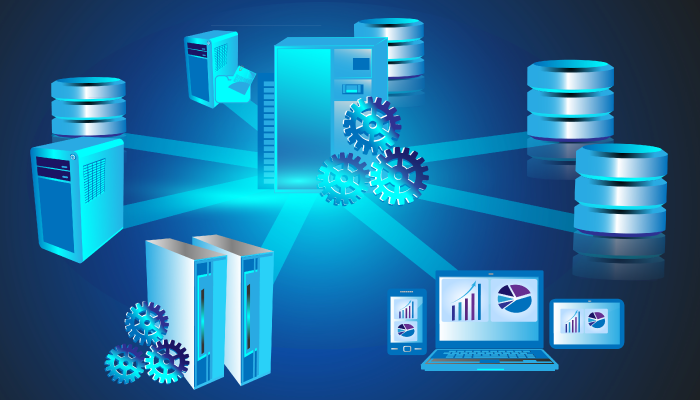
A database consists of one or more files that need to be stored on a computer. In large organizations, databases are typically not stored on the individual computers of employees but in a central system. This central system typically consists of one or more computer servers. A server is a computer system that provides a service over a network. The server is often located in a room with controlled access, so only authorized personnel can get physical access to the server.
In a typical setting, the database files reside on the server, but they can be accessed from many different computers in the organization. As the number and complexity of databases grows, we start referring to them together as a data warehouse.
A data warehouse is a collection of databases that work together. A data warehouse makes it possible to integrate data from multiple databases, which can give new insights into the data. The ultimate goal of a database is not just to store data, but to help businesses make decisions based on that data. A data warehouse supports this goal by providing an architecture and tools to systematically organize and understand data from multiple databases.

Distributed DBMS

As databases get larger, it becomes increasingly difficult to keep the entire database in a single physical location. Not only does storage capacity become an issue, there are also security and performance considerations. Consider a company with several offices around the world.
It is possible to create one large, single database at the main office and have all other offices connect to this database. However, every single time an employee needs to work with the database, this employee needs to create a connection over thousands of miles, through numerous network nodes. As long as you are moving relatively small amounts of data around, this does not present a major challenge.
But, what if the database is huge? It is not very efficient to move large amounts of data back and forth over the network. It may be more efficient to have a distributed database. This means that the database consists of multiple, interrelated databases stored at different computer network sites.
To a typical user, the distributed database appears as a centralized database. Behind the scenes, however, parts of that database are located in different places. The typical characteristics of a distributed database management system, or DBMS, are:
  • Multiple computer network sites are connected by a communication system
  • Data at any site are available to users at other sites
  • Data at each site are under control of the DBMS
You have probably used a distributed database without realizing it. For example, you may be using an e-mail account from one of the major service providers. Where exactly do your e-mails reside? Most likely, the company hosting the e-mail service uses several different locations without you knowing it.
The major advantage of distributed databases is that data access and processing is much faster. The major disadvantage is that the database is much more complex to manage. Setting up a distributed database is typically the task of a database administrator with very specialized database skills.

Data Mining

Once all the data is stored and organized in databases, what's next? Many day-to-day operations are supported by databases. Queries based on SQL, a database programming language, are used to answer basic questions about data. But, as the collection of data grows in a database, the amount of data can easily become overwhelming. How does an organization get the most out of its data without getting lost in the details? That's where data mining comes in.
Data mining is the process of analyzing data and summarizing it to produce useful information. Data mining uses sophisticated data analysis tools to discover patterns and relationships in large datasets. These tools are much more than basic summaries or queries and use much more complicated algorithms. When data mining is used in business applications, it is also referred to as business analytics or business intelligence.
Consider an online retailer that sells a wide variety of products. In a typical day, it may sell thousands of different products to tens of thousands of different customers. How does the company leverage all this data to improve its business? One strategy is to discover which products are often bought together.
This would make it possible to create product bundles that are attractive to customers. Another method is to develop profiles for customers. A company could ask, based on past purchases, which products might the same customer also be interested in? This makes it possible to make suggestions to the customer and increase sales.
Another scenario is fraud detection. Have you ever had your credit card company contact you regarding a suspicious transaction? How does this work? Let's say you're a construction worker in Minneapolis. Normally, you use your credit card at the grocery store, the mall and some local restaurants, all within the Minneapolis area.
Suddenly, your credit card is used to pay for a high-end hotel in Miami Beach, several nightclubs and a jewelry store. It could very well be that you went down to Miami for a romantic weekend with your girlfriend because you are going to propose to her. But, it is also quite possible that your credit card was stolen and you have not noticed it yet.
So, the credit card company has sophisticated algorithms running in real-time to identify patterns that are out-of-the ordinary based on your demographics and past spending habits. A suspicious transaction triggers an alert, and you are contacted by their fraud detection department. Pretty clever and all thanks to data mining.
Data mining algorithms are often designed to get better over time as more data is collected and the outcomes of the analysis are checked for accuracy. You probably recognize these scenarios. Data mining has become integrated into many businesses, especially those with a strong online presence.

Lesson Summary

In summary, databases are often stored in a central computer system known as a computer server. A data warehouse is a collection of databases that work together. This makes it possible to examine patterns and trends by combining multiple databases.
Distributed databases are used to store a database at multiple computer sites to improve data access and processing. Data mining is the process of analyzing data and summarizing it to produce useful information. Data mining uses sophisticated data analysis tools to discover patterns and relationships in large data-sets.